Skip to content
Somers Design Deutsch

Websites for civil works and fibre network contractors

Civil works · Fibre · Splicing · Cable laying · Charging infrastructure

In network construction, the clients are network operators, general contractors and local authorities. They check whether a contractor covers the items in their bill of quantities, where it works and how many crews it has. A website for this industry shows that at first glance. Further down is a case study based on a real enquiry, in two versions.

Request a free demoWrite via WhatsApp

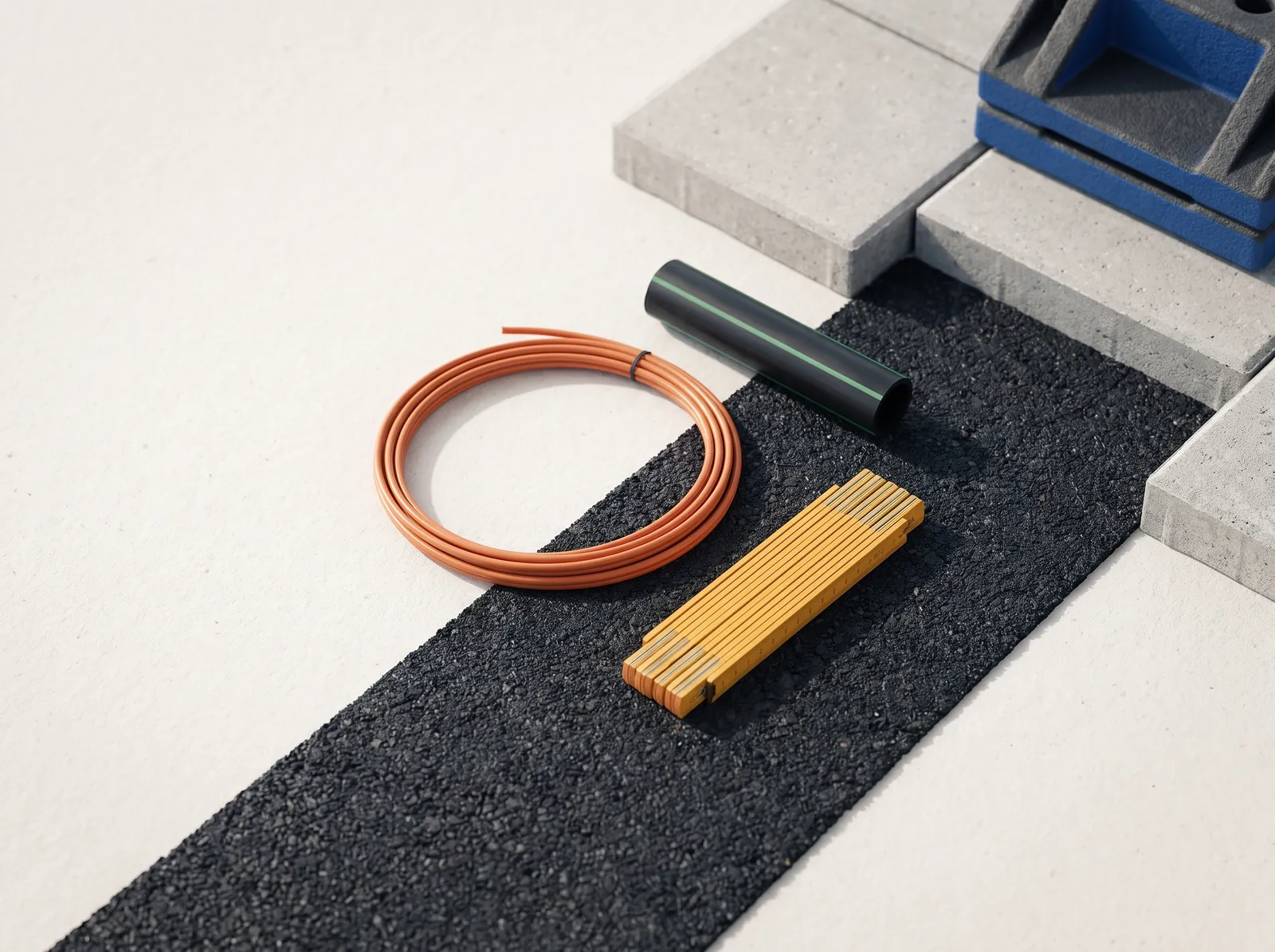
Orange microduct, a piece of black cable duct and a yellow folding ruler on fresh asphalt next to concrete paving

01Search

How clients search

  • civil works fibre + region
  • FTTH subcontractor
  • fibre splicing crew
  • cable trenching charging park

Anyone looking for a subcontractor wants to know: Which trades does the company carry out itself? How many crews does it have? Where has it built before, and which certificates does it hold? If the website answers this, the enquiry arrives with a bill of quantities instead of questions.

02Measurements

What belongs on the site

  1. 01

    One page per trade

    Civil works, fibre network construction, fibre installation and e-mobility each get their own page, so Google finds every service on its own.

  2. 02

    Items as in the bill of quantities

    Services with item number and unit, exactly as they appear in tenders. Clients see at once what is covered.

  3. 03

    Working area

    Towns, districts and recent sites on a map and in the text, not just the address of the yard.

  4. 04

    Capacity and equipment

    Crews, staff, excavators, blowing and splicing equipment as a table.

  5. 05

    Certificates

    Training, tax exemption certificate, prequalification and traffic management in one fixed place.

  6. 06

    Enquiry with documents

    A form that takes over items from the bill of quantities and accepts plans as attachments, plus phone and WhatsApp for questions from the site.

03Case study

Two versions for a civil works contractor

A fibre network contractor sent us an enquiry. Its previous website mainly showed a duct trading business; in future, the contracting side was to come first: civil works, fibre network construction, fibre installation and e-mobility. We built two versions with the same content. The project did not go ahead. Because both versions show how a website for network construction can be structured, they are presented here as a case study.

Case study · anonymised Based on a real enquiry from a civil works contractor. Name, places, figures, logo and photos have been changed; the photos are AI images. The forms in the case studies do not send anything.

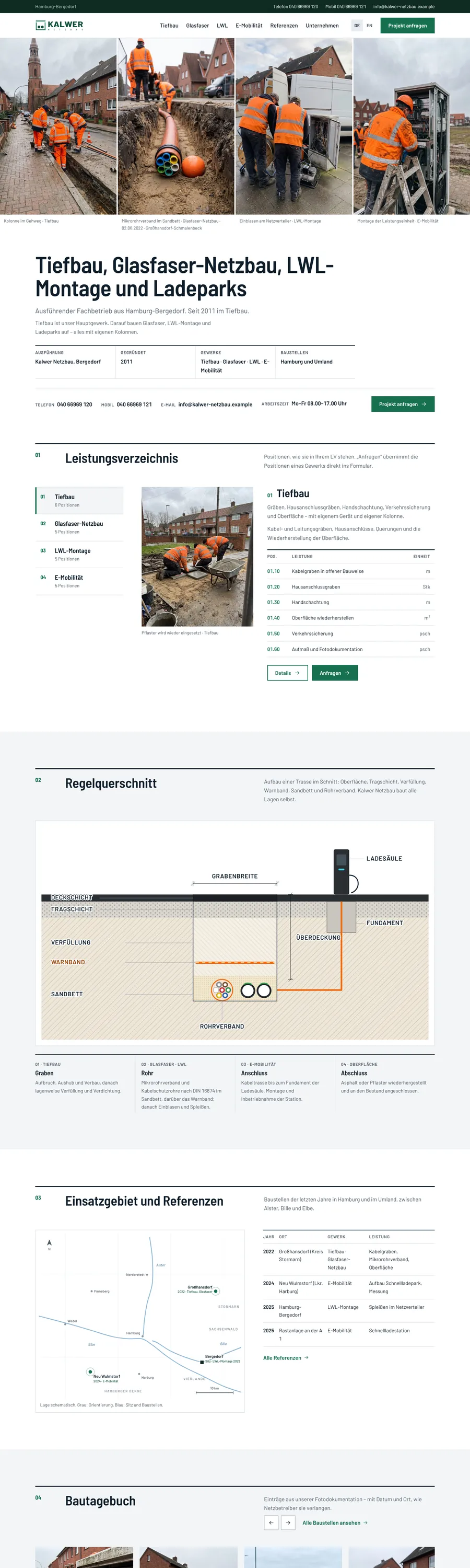
Screenshot of the website Kalwer Netzbau (version A, case study, anonymised)
Case study · anonymised

Kalwer Netzbau version A

Civil works & fibre

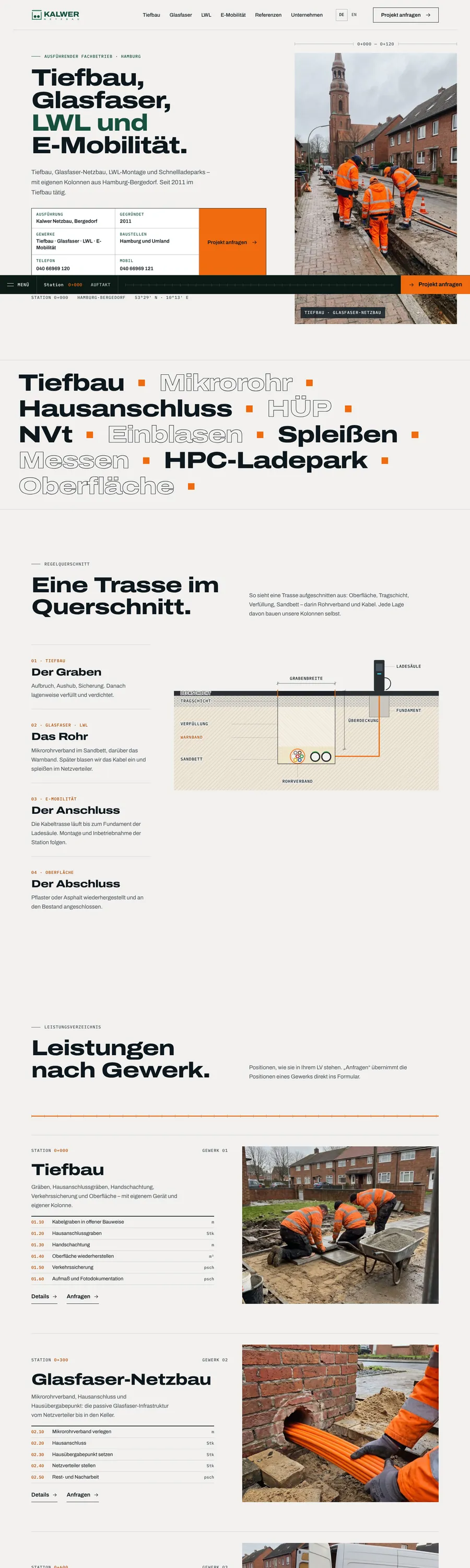
Case study based on an enquiry from a civil works contractor, with name, places, figures and photos changed. Version A is laid out like a construction drawing: hairlines, dimension lines and a chainage bar that counts in kilometres how far you have “dug” into the page. In the standard cross-section the trench opens as you scroll, the ducts are laid, the cable runs to the charging point, then the trench is backfilled. The four trades run past as a sideways strip with items as in a bill of quantities, and “Enquire” copies them into the form. Plus site diary, capacity, certificates and a site board instead of a sales banner.

  • Cross-section on scroll
  • Bill of quantities
  • Chainage bar
  • Site diary
Open website (opens in a new tab)
Screenshot of the website Kalwer Netzbau (version B, case study, anonymised)
Case study · anonymised

Kalwer Netzbau version B

Civil works & fibre

Second version of the same case study with identical content, deliberately sober: Barlow, related to the lettering on German road signs, white and fir green, photos always with a caption of trade, date and place. The home page opens with a photo panel, the bill of quantities is a register to switch through, and the map shows the base and the sites. The subpages are set like a handbook with a fixed table of contents. Motion only once as content appears; nothing is tied to scrolling.

  • Register
  • Map of the working area
  • Handbook layout
  • No scroll effects
Open website (opens in a new tab)

04Differences

Version A and version B compared

Both versions have the same pages and the same content. They differ in design, structure and motion.

FeatureVersion AVersion B
PrincipleConstruction drawing: hairlines, dimension lines, chainage in kilometresHandbook: numbered chapters, fixed table of contents
TypeArchivo in a wide cut, with IBM Plex Mono for dimensions and itemsBarlow and Barlow Semi Condensed, related to the lettering on German road signs
ColourPaper tone, dark green, signal orange, dark photo chaptersWhite and fir green, orange only from the photos
Home pageTitle block, ticker, cross-section, trades strip, photo chapter, site diary, site boardPhoto panel, bill of quantities as a register, cross-section, map, site diary, company
MotionTied to scrolling: the trench opens, the strip runs sideways, figures count upContent appears once, lines and map draw once, no ticker
PhotosLarge, as photo chapters and in the sideways stripAlways with a caption: trade, date, place
SuitsContractors who want to stand out visibly from competitorsContractors whose clients look for facts quickly

05From the business

Chapters that come from network construction

The sequence of sections was developed from the contractor's day-to-day work, not from a template.

  1. 01

    Standard cross-section

    The drawing used in civil works to describe every route. It shows all four trades in one place: trench, duct, connection, surface.

  2. 02

    Bill of quantities

    Items with number and unit, as they appear in tenders. “Enquire” copies the items into the form.

  3. 03

    Site diary

    Dated entries from the photo documentation that network operators require anyway.

  4. 04

    Working area

    A drawn map with the base and the sites. It loads nothing from Google or other providers.

  5. 05

    Site board

    At the end of the page, the board that stands at every site: project, contractor, contact, working hours.

  6. 06

    Chainage bar

    In version A, a kilometre count at the bottom shows how far you have dug into the page.

The animated parts as films on the Animations page

06Good to know

Little effort for you

To start, photos from your site documentation, the bill of quantities of a typical tender and a list of recent sites are enough. We take care of texts, structure, map and technology. Missing details stay visibly marked as open on the page until you sign off, so nothing invented goes online.

Pricefrom €690one-off · first year of care included · paid only when you're satisfiedAll prices

07Questions

Questions from your industry

We only have phone photos from our sites. Is that enough?

Yes. Photos from your site documentation show real work and convince clients more than stock photos. We select and crop them and make house numbers and number plates unrecognisable.

May we name clients and projects?

Clients only with their consent. Without it, we name place, year, trade and scope, but no client. That is enough to show experience.

What does a website for a civil works contractor cost?

From €690, one-off. Hosting and care are included in the first year; after that, no base fee, or care from €9 a month, cancellable monthly. We give you the exact price after the first conversation – you only pay when you're satisfied.

How can we help you?

Write to us – we will get back to you within 24 hours with an honest assessment.

Bon Im, owner

Get in touchWrite via WhatsApp